How to use the Inbox, AI replies and automations
Choose how the AI answers messages, approve its drafts, take over a conversation yourself, and set keyword rules that reply to comments by DM.
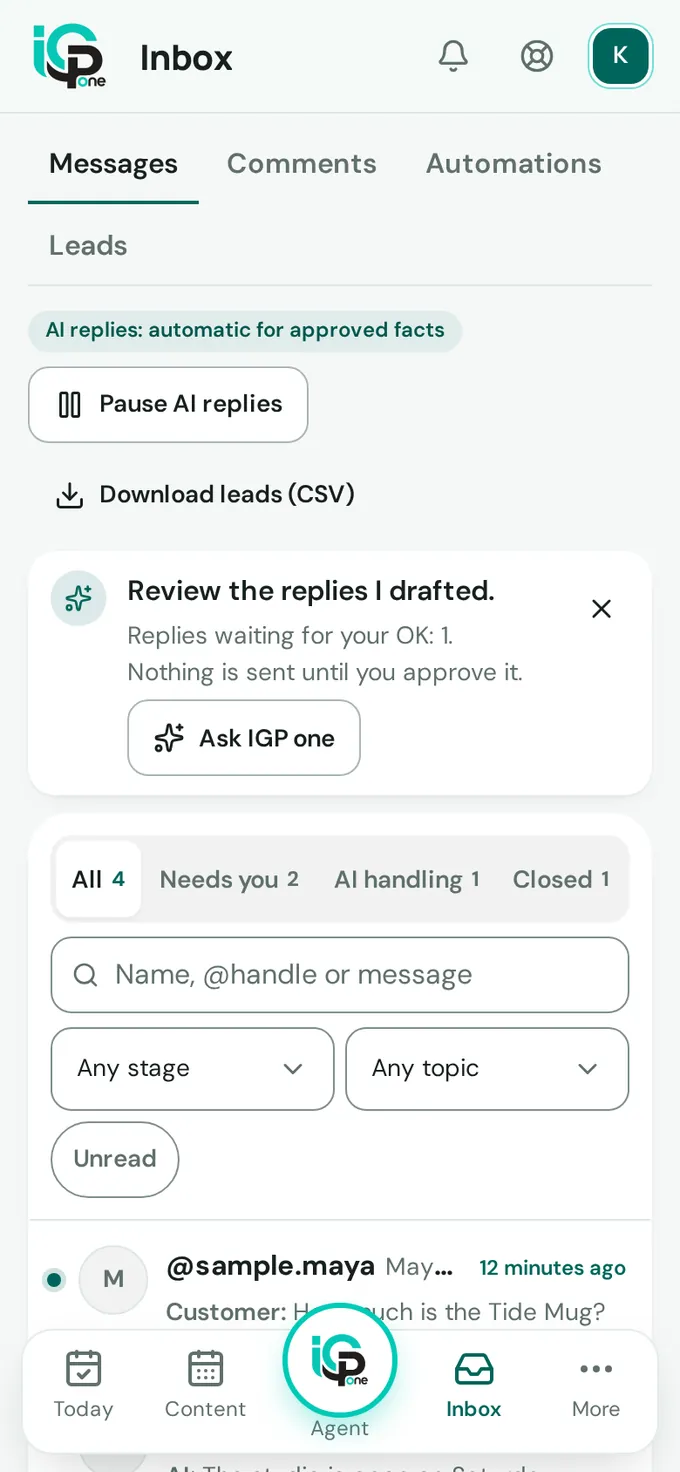
The Inbox brings your Instagram messages, comments, automations and leads into one place. You choose how the AI answers: automatically when the answer is in your approved facts, or as drafts you approve. You can pause it or take over any conversation at any time.
Steps
- Connect Instagram, then open “Inbox”.
- Choose how the AI should answer: “Answer automatically” for questions covered by your approved facts, or “Keep drafts” to approve every reply.
- Open a conversation. If a draft is waiting, read it and select “Send”, or write your own reply.
- Select “Take over” to answer a person yourself, and “Let the AI answer again” when you are done.
- Under “Automations”, select “New rule”: choose when it should answer, the keywords and the private message, then “Create rule” and “Turn on”.
How automatic replies stay safe
- They use only facts you approved, such as prices, hours, location and stock.
- They say they come from an AI assistant.
- A question the facts do not cover becomes a draft for you.
- When someone asks for a person, the conversation is handed to you.
Automation rules
A rule can answer a comment that contains a keyword, any comment on the posts you choose, or a reply to your story. It sends one private message, and you can add a public reply under the comment.
A new rule starts paused. Turning it on shows the exact message that will be sent. IGP one never sends cold messages: a rule answers only people who commented or wrote to you.
If a rule did not answer, “Why didn't this fire?” shows the reason.
The 24-hour window and leads
Instagram lets a business reply for 24 hours after a person's last message. The conversation shows how long you have. After that, reply in the Instagram app.
Each conversation can carry a lead stage, from “New lead” to “Won”, and the “Leads” tab lists them. You can export leads as a CSV file.
Checklist
- Prices, hours and location approved as facts.
- Reply mode chosen.
- Rule message read before turning it on.
- Drafts checked every day.
Frequently asked questions
Does the AI message people first?
No. It replies only to people who wrote to you or commented on your posts.
Do people know they are talking to AI?
Yes. AI replies tell the person they come from an AI assistant, and a person can take over at any time.
Can I turn the AI off?
Yes. Select “Pause AI replies” for the whole Inbox, or “Take over” in one conversation.