How to connect your Instagram account
Connect an Instagram Business or Creator account in one step. IGP one never sees your password, and you can disconnect at any time.
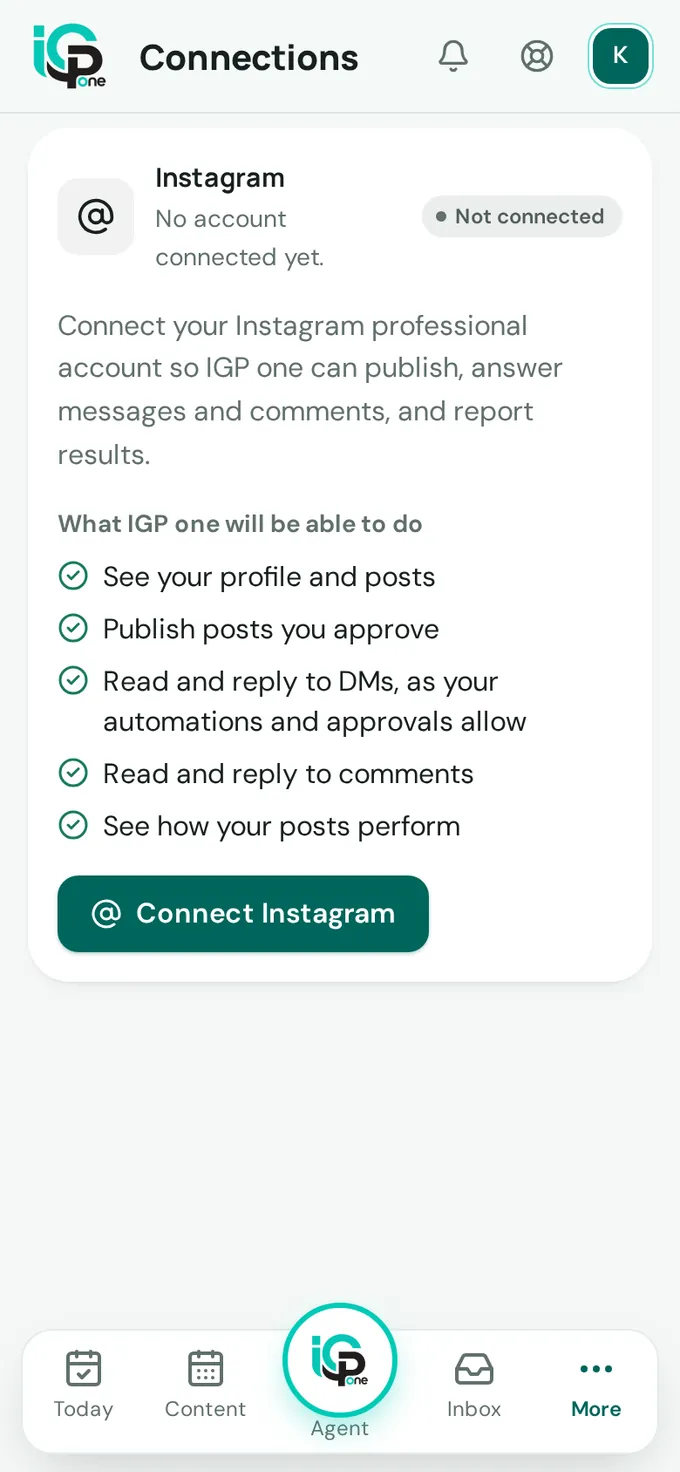
To connect Instagram, open “Connections”, select “Connect Instagram” and approve in the Instagram window. IGP one works with Instagram Business and Creator accounts, signs you in through Instagram itself and never sees or stores your password.
Steps
- Make sure your Instagram account is a professional account (Business or Creator). Switching from a personal account is free in the Instagram app.
- In IGP one, open “Connections” and select “Connect Instagram”.
- Read what IGP one will and will never do, then select “Continue to Instagram”.
- Approve in the Instagram window and keep every permission on.
- Back in IGP one, check that the status says “Connected”.
What the connection allows
- See your profile and posts.
- Publish posts you approve.
- Read and reply to messages, as your automations and approvals allow.
- Read and reply to comments.
- See how your posts perform.
What IGP one never does
- Send messages to people who have not written to you.
- Publish anything without your approval.
- See or store your Instagram password.
Reconnect or disconnect
If Instagram signs you out or a permission is turned off, the same screen shows “Reconnect Instagram”. Scheduled posts wait on hold until you reconnect.
To stop, select “Disconnect”. Publishing, replies and reports for that account stop right away, and posts already on Instagram stay there. Only the workspace owner or an admin can connect or disconnect.
Checklist
- Business or Creator account.
- Signed in to the right Instagram account.
- Every permission left on.
- Status shows “Connected”.
Frequently asked questions
Do I need any other account or page?
No. IGP one connects through Instagram's own sign-in. An Instagram Business or Creator account is all you need.
Can I connect a personal account?
No. Instagram allows this only for Business and Creator accounts. Switching is free and takes about a minute.
Can one Instagram account be used in two workspaces?
No. An account can be connected to one IGP one workspace at a time. Disconnect it there first.